📏 Figure checks: size
Status: reference.
The rules about how much room the figure takes: a picture wider than the page, stray space beside it, and a part stranded far from the rest. Then the advisory size reports, which are read and never resolved: two nodes squeezed together, and the height, slack and counts that every report prints beside its layout's usual range. README.md explains how to read a report and how to record a deliberate exception.
Each rule below shows a faulty figure, the line figure check prints
for it, and the fixed figure. Both are real files in
examples/, and tests/test_figure_check_examples.py
compiles them, so the report lines on this page are what the check
prints today. The listings show the picture only, unless the defect is
outside it; every file also carries the house style block above it.
🧭 Rules on this page
size-widthsize-straycontent-protrusionsize-squash(advisory)size-height(advisory)size-slack(advisory)budget-nodes(advisory)budget-edges(advisory)
size-width
Catches. A picture wider than the target text width. The target
is the text width of the page the figure prints on: 453pt for
draft render's A4 article page at 1in margins, 437.5pt for a book
unit's figure on book-assembler's page at 80pt margins, or the number
given with --width. A figure between the two fits a survey and not a
book. The target is figure,
and the measurement is the picture's width beside the target. Several
pictures in one file are measured together, since they print side by
side.
Why it matters. A figure wider than the page either runs into the margin or gets scaled down to fit, and scaling shrinks its type to a size nobody chose. The page width is fixed; the layout is what has to give.
Faulty: four stages in one row, each box 36mm wide.
1 2 3 4 5 6 7 | |
1 | |
Fixed: the same row with 28mm boxes, which the labels still fit.
1 2 3 4 | |
| Faulty | Fixed |
|---|---|
 |
 |
In the faulty picture the red line is where the text width ends.
Fix. Wrap a row, cut a gloss, stack panels; see section 3 of
.claude/skills/figure-drawer/references/figures.md.
size-stray
Catches. The figure, set as one box, is more than 0.5pt wider than
its picture. A line outside the picture that ends without % sets a
space, and the space adds width beside the figure. The target is
figure, and the measurement is the stray width with the input's and
the picture's. A file with several pictures is not measured, since the
space between them is deliberate.
Why it matters. The space shows when the figure is \input inline
or measured with \sbox, which is how a thesis or a side-by-side
layout often sets it. The figure then sits off centre, or a row that
fits on paper overflows. The renderer sets each figure in a float,
which drops the space, so the render shows nothing wrong.
Faulty: the library line above the picture ends without %.
1 2 | |
1 | |
Fixed: the line ends with %.
1 2 | |
The two figures look the same in a float, so there are no pictures.
Fix. End every line outside the picture with %.
content-protrusion
Catches. An empty horizontal band taller than a third of the
figure. The band is measured between the node boxes, and between the
outermost node and the picture's own edge, so a far-off node and a
stray path or label both show up. Only vertical gaps count: a pipeline
or a hub is made of horizontal gaps. The target is figure.
Why it matters. LaTeX sets a figure as one rectangle. One element far above or below the rest makes the rectangle tall, and every bit of the empty band beside it is page the text cannot use.
Faulty: a note sits 30mm above the row it describes.
1 2 3 4 | |
1 | |
Fixed: the note sits 3mm above index.
1 | |
| Faulty | Fixed |
|---|---|
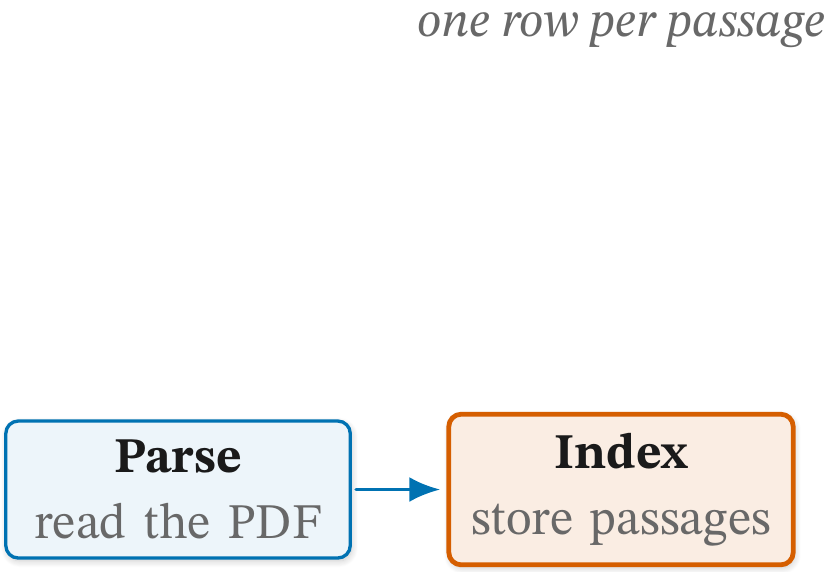 |
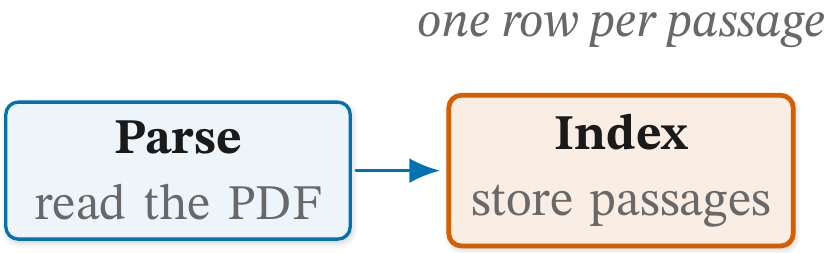 |
Fix. Pull the stranded element back into the main block.
size-squash
Catches. Two nodes joined by an edge that sit under 3mm apart,
edge to edge, so the arrow between them is too short to read. The
target is the pair, a+b. A pair that overlaps (that is
node-overlap), a zone and its child, and a
bend coordinate are not measured. An edge on a path with an edge
operator or a named node on it, or with an end built from two nodes
(b.north |- a), is listed under "not measured" rather than guessed
at. The other edges are still measured, so size-squash can appear
both among the advisory reports and under "not measured".
This is an advisory report. It prints under its own heading, never counts as a finding and cannot be allowed.
Why it matters. An arrow shorter than its own head reads as a notch on the box, not as a step from one node to the next.
Faulty: index sits 2mm to the right of parse.
1 2 3 | |
1 | |
Fixed: an 8mm gap.
1 | |
| Faulty | Fixed |
|---|---|
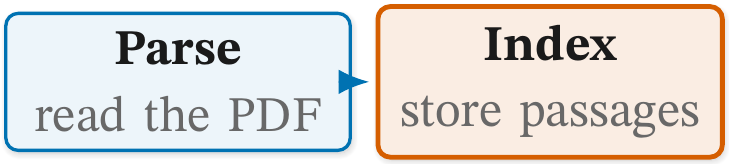 |
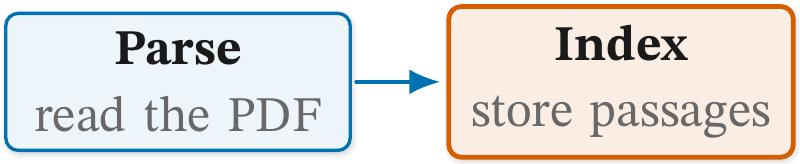 |
Fix. Advisory. The pair's arrow is under 3mm, too short to read; give the pair more room.
📐 The reference ranges
The four reports below print for every figure that compiles. Each is a
number, and no figure breaks it, so they have no faulty and fixed pair.
Each number sits beside the range its layout's scaffold and exemplars
measure, read from the ## Reference ranges table in
.claude/skills/figure-drawer/references/layouts/<layout>.md. The
layout is the one the figure's own % cg-layout: <layout> line names,
on a line of its own, or the one given with --layout.
README.md has more on the layout line. A
figure without one gets the numbers and no range.
A range describes the figures it was measured from and never caps
yours. A number outside it is a question to ask, not a defect. Every
figure on this page is a small pipeline, so its reports read, for
example:
1 2 3 4 | |
These are advisory reports. They never count as findings and cannot be allowed. A file with several pictures has its height and slack listed under "not measured", since the probe reads only the last picture's extent.
size-height
Catches. The picture's height as a share of the page's text height (700.5pt for an article, 685pt for a book unit's figure), with the height in points, beside the layout's reference range. The reference ranges were measured on the article page, so a book figure's share reads about 2% higher against them than the same figure's would in a survey.
Why it matters. A figure that takes far more of the page than its layout's usual figures often has a row that should wrap the other way, or a stage it does not need.
Fix. Advisory. Read it beside the reference: far taller than its layout's figures usually means a row to wrap or a stage to drop.
size-slack
Catches. The share of the picture no node fills: 1 - the area of
the nodes that enclose no other node, over the picture's area. A zone
card is not filled area. It is printed beside the layout's reference
range.
Why it matters. Well above the range, the figure spends its page on empty space, and the type is no bigger for it.
Fix. Advisory. The share no node fills, zone cards excluded; well above the reference, pull the nodes closer or cut the empty zone.
budget-nodes
Catches. The count of named nodes, zone cards and icon wells included, beside the layout's reference range.
Why it matters. A figure far above its layout's usual count may be two figures, each easier to read alone. The count is never a cap: a dynamic-programming trace has forty cells and needs every one.
Fix. Advisory. Never a cap: a DP trace has forty cells. Far above the reference, ask whether this is two figures.
budget-edges
Catches. The count of edges the source parser reads, beside the
layout's reference range. A \foreach body and a child are not read,
and a bent path counts once per leg.
Why it matters. As for budget-nodes: far more edges than the
layout usually has can mean two figures drawn as one.
Fix. Advisory. As budget-nodes, for the edges the source parser
reads (not a \foreach body or a child).